
Many companies eventually realize: the current data protection software no longer fits. Processes are confusing, key features are missing, and the system is cumbersome to use.
At the same time, many hesitate to switch data protection software: How complex is the transition? What happens to the existing documentation? And how can I prevent everything from grinding to a halt in day-to-day operations?
In this article, we show you how to approach the switch in a structured way, which typical mistakes you should avoid – and how PLANIT // PRIMA supports you in implementing the transition efficiently and with ease.
Interested in a short consultation?
If you would like to know whether a switch is worthwhile for your organization, book your switch check now – non-binding and free of charge. Within 15 minutes, you will receive a clear answer as to whether the switch is worthwhile for you!
Why companies switch their data protection software
The switch rarely happens on a whim. Usually, there are concrete reasons:
- The current solution is too confusing or too complex.
- Important functions are missing (e.g. audits, training, action management).
- Updates and support are unreliable.
- The system no longer fits the structure, size, or locations of the company.
- Many things continue to run in parallel in Excel, SharePoint, or email inboxes.
At the latest when data protection processes are more of a hindrance than a support, it is time to think about a more modern solution.
The 5 most important steps when switching your data protection software
1. Take stock: Where are you today?
Before you switch, you should be clear about the following:
- Which functions are you currently using?
- What works well – and what doesn’t?
- Which processes are linked to the software (e.g. records, TOMs, training, audits)?
- Which roles & responsibilities exist?
The clearer your starting point, the easier it will be to decide what the new software really needs to deliver.
Tip: Write down the 5 biggest pain points of your current solution. This list is worth its weight in gold when selecting new software.
2. Clean up your data before migrating it
A switch is the ideal time to tidy up:
- Remove duplicates
- Delete or archive outdated documents
- Review incomplete entries
- Standardize structures (e.g. naming conventions, folder logic, categories)
The fewer “legacy issues” you carry over, the leaner and clearer the new environment will be.
3. Plan the migration: What will be transferred and how?
The next step is data migration:
- Which data will definitely be transferred (e.g. records of processing activities, TOMs, contracts, training records)?
- Which data can be completed and archived?
- Which formats are available (PDF, Word, Excel, database exports)?
4. Set up roles, permissions, and processes properly
To ensure the switch does not end in chaos, clear structures are required:
- Who is responsible for which modules (e.g. records, training, audits)?
- Who is allowed to create entries, who can approve, who can only read?
- Which standard processes should be mapped in the software in the future?
Modern solutions such as // PRIMA offer a roles and permissions concept that can be adapted to the structure of your organization – not the other way around.
5. Training & go-live – the often underestimated part
New software is only as good as how it is used in practice. For a successful go-live, the following help:
- Short, target-group-specific introductions (e.g. for data protection coordination, specialist departments, management)
- Clear “This is how we do it from now on” rules
- A defined transition phase during which the old system is only used as a supplement
- Contact persons for questions (internally and at the provider)
PLANIT // PRIMA also offers online training and guidance so that teams can find their way quickly.
Switch check in 15 minutes
Would you like to assess how complex the transition would be for your company?
In a short conversation, we will clarify together:
- Which software you are currently using
- Where the pain points are
- What a realistic transition plan could look like
Typical mistakes when switching data protection software – and how to avoid them
- Transferring everything 1:1 – including the chaos
- No clear responsibility for the switch
- Letting old and new software run in parallel for too long
- Not involving employees (“Suddenly everything is different”)
- Failing to clarify expectations (“The new software automatically solves all problems”)
Better: Treat the switch as a project – with clear goals, responsibilities, and milestones.
How PLANIT // PRIMA supports you during the switch
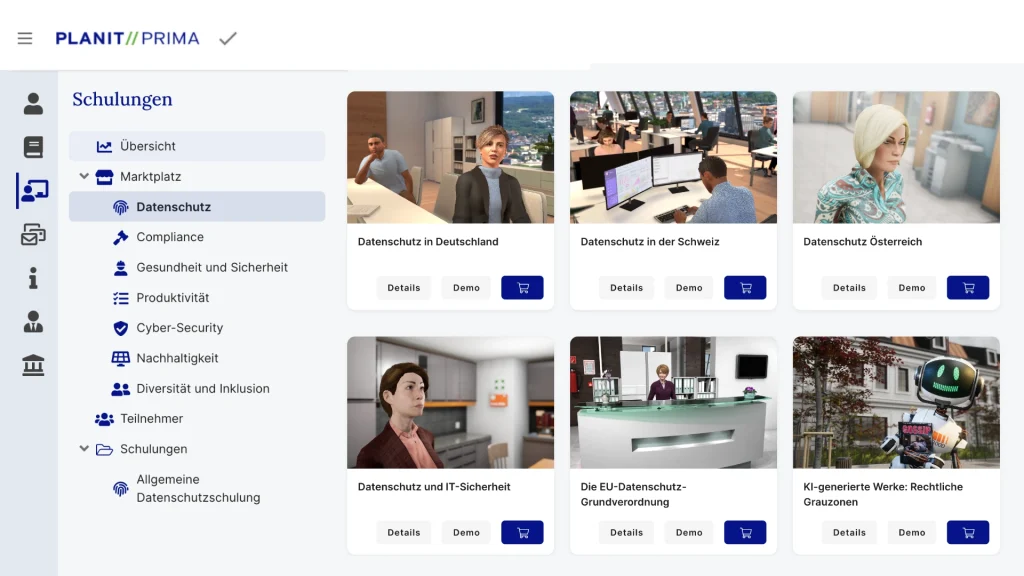
// PRIMA is a data protection software developed by data protection and compliance experts – and designed specifically to structure and simplify data protection processes.
When switching, you benefit from:
- Clear modules for records, TOMs, training, audits, and actions
- Clear structures into which you can easily integrate your existing documents
- Intuitive operation that makes getting started easy
- Support in planning the switch, if you wish
- Optional online training to quickly get your team up to speed
This turns the switch from a risk into an opportunity to take your entire data protection setup to the next level.
Switching data protection software – with a plan instead of gut feeling
Switching data protection software may seem like a big step at first glance. With a structured approach, clear goals, and the right solution, however, this step can be planned and implemented effectively.
If your current software is holding you back rather than supporting you, now is exactly the right time to think about making the switch.
Are you considering switching your data protection software?
Now: Book a 15-minute switch check
In a non-binding conversation, we will talk about:
- Whether a switch makes sense for you
- Which next steps would be useful
- How // PRIMA can support you